Tough Display Font
Fonts
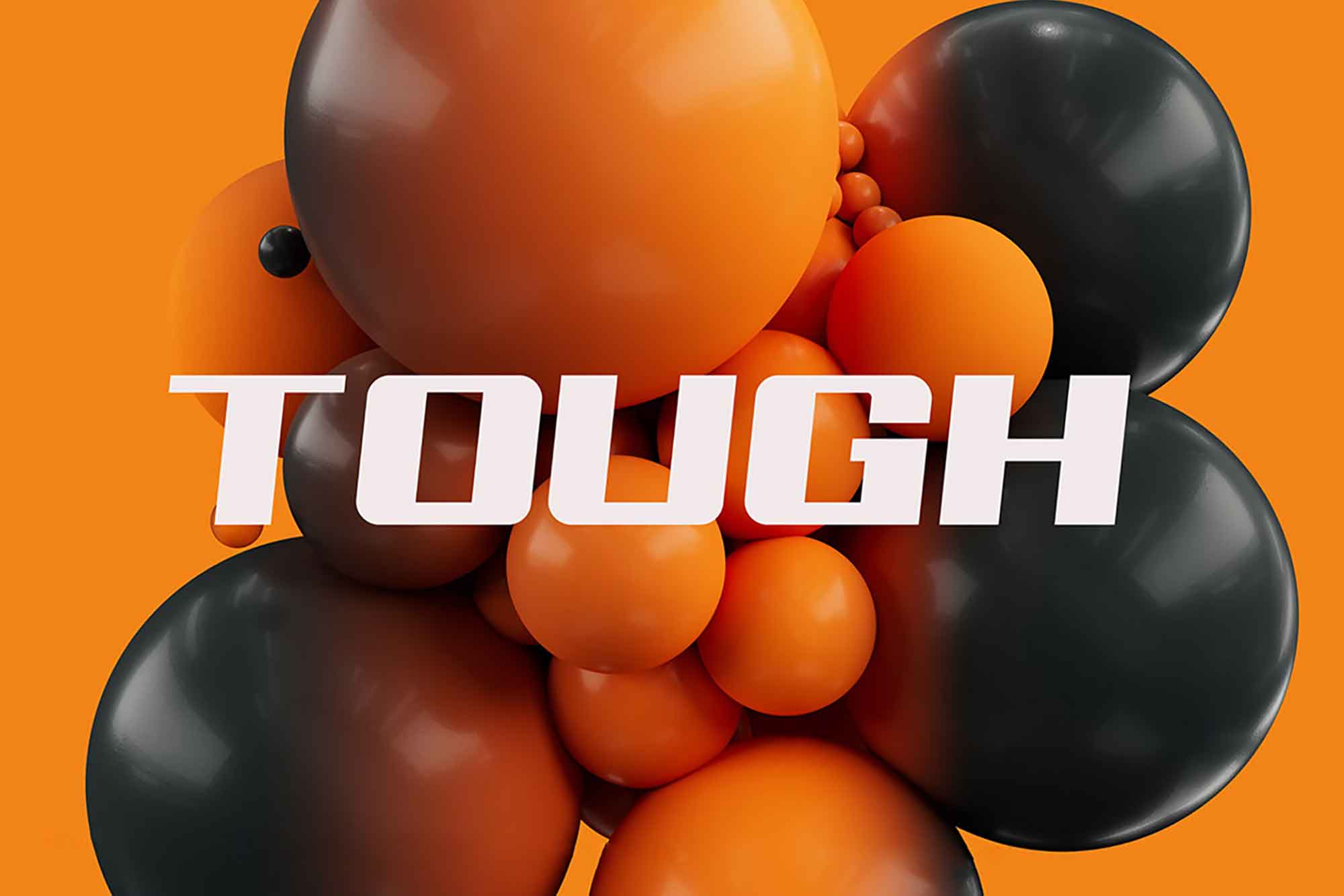
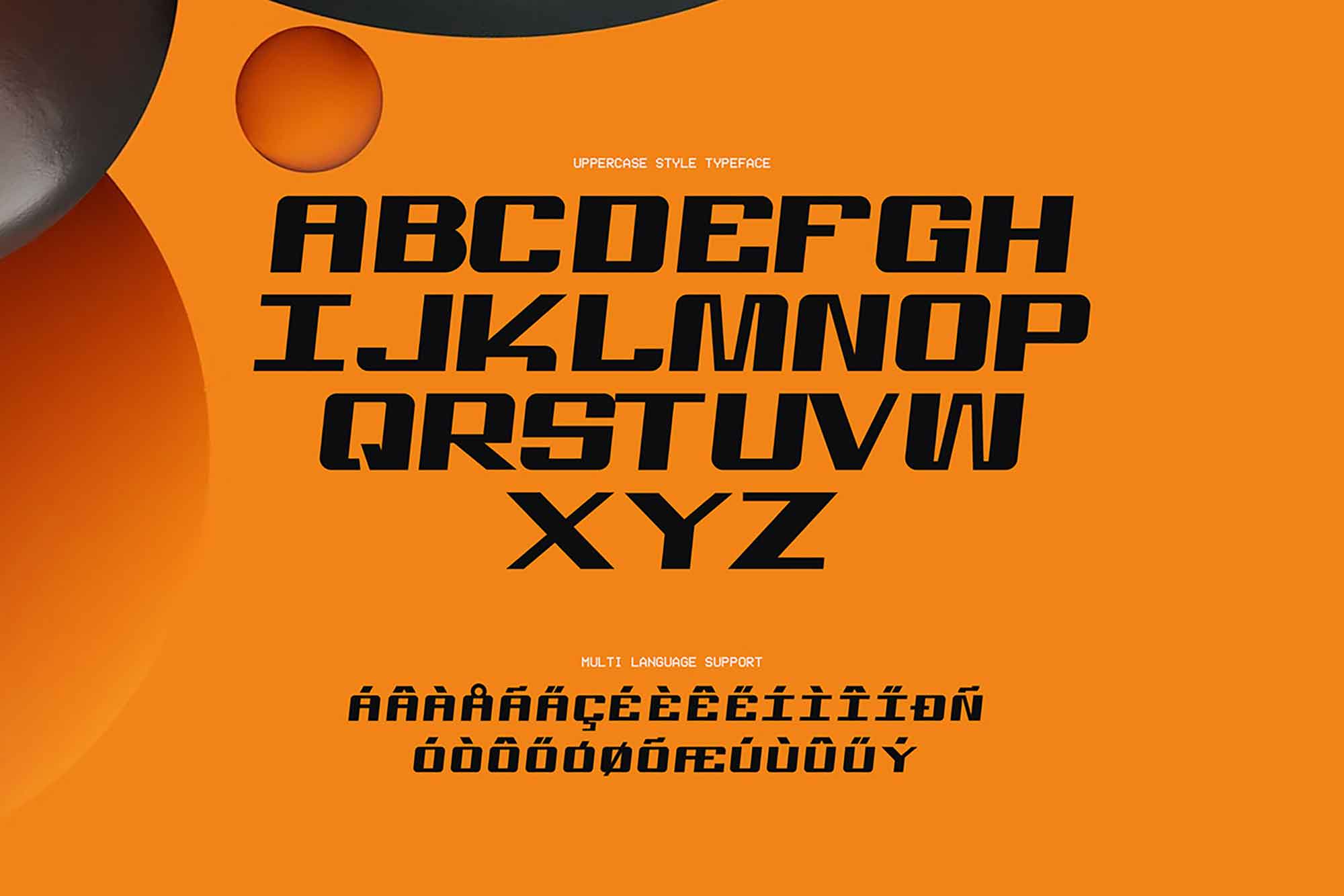
Tough font is a display, bold, and confident typeface designed to make a strong visual impact. The typeface which combines round outer angles with sharp inner angles is ideal for posters, branding, logos, or editorial headlines that demand attention. This font brings industrial strength to your typography, making it well-suited for sports, tech, or heavy-duty product campaigns. Its legibility is strong especially at large sizes, and its aggressive styling adds energy and attitude to your design.Whether you’re building a bold ad campaign or crafting a brand with grit, Tough font delivers a powerful visual punch. Its unique character makes it a standout choice for designers seeking a typeface that combines toughness with modern style in both print and digital formats.
Platform
Figma
Creator

Lina Moretti
Price
59$
Features & Details:
Multiple weights & styles
Includes a full set of weights — from Thin to Bold — with matching italics for flexible use across headlines, UI, or body text.
Multiple weights & styles
Includes a full set of weights — from Thin to Bold — with matching italics for flexible use across headlines, UI, or body text.
Multiple weights & styles
Includes a full set of weights — from Thin to Bold — with matching italics for flexible use across headlines, UI, or body text.
OTF & TTF formats
Delivered in industry-standard formats compatible with all major design tools and platforms (Figma, Adobe, Canva, etc.).
OTF & TTF formats
Delivered in industry-standard formats compatible with all major design tools and platforms (Figma, Adobe, Canva, etc.).
OTF & TTF formats
Delivered in industry-standard formats compatible with all major design tools and platforms (Figma, Adobe, Canva, etc.).
Multilingual support
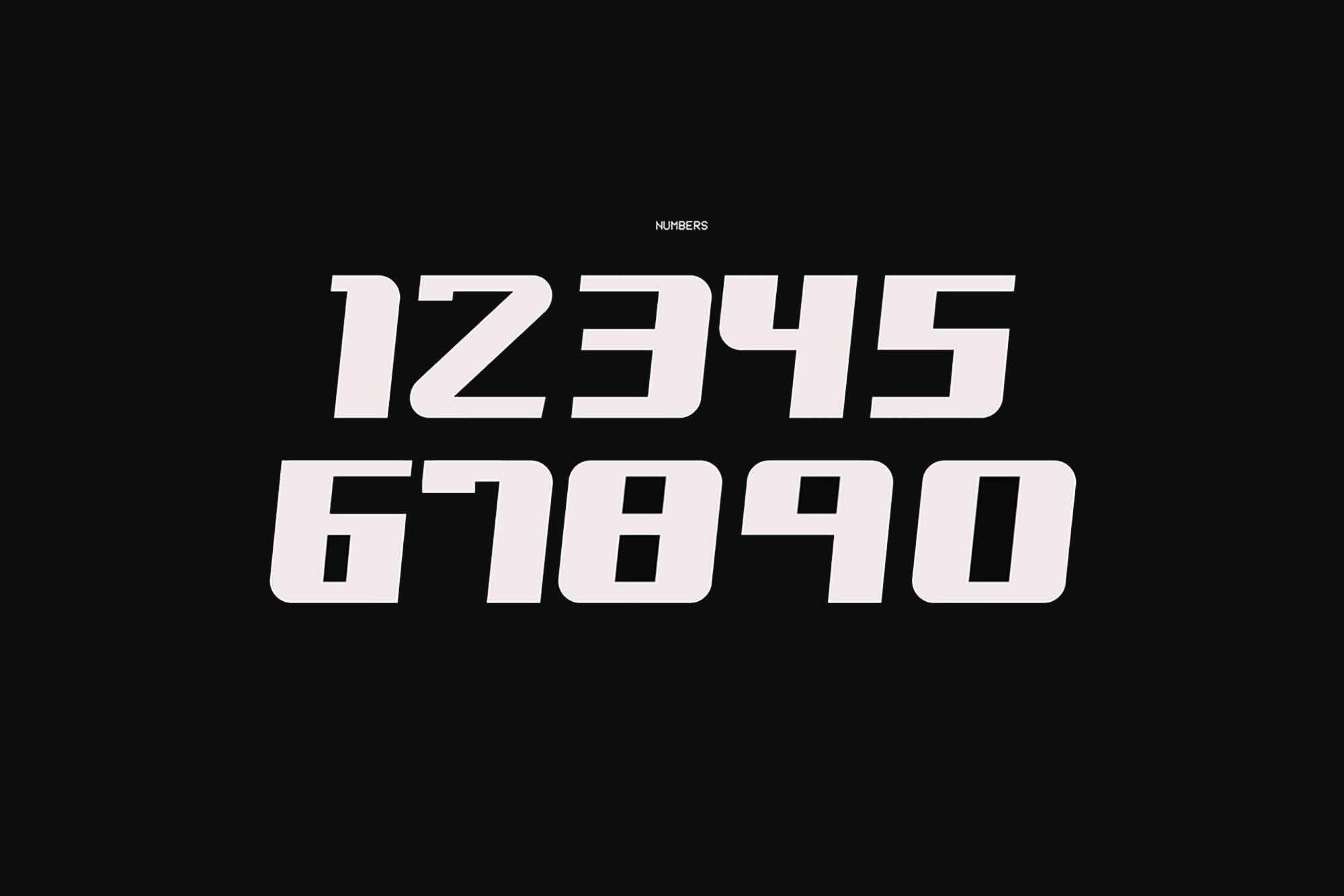
Covers extended Latin character sets with accents, numerals, punctuation, and symbols — perfect for global projects.
Multilingual support
Covers extended Latin character sets with accents, numerals, punctuation, and symbols — perfect for global projects.
Multilingual support
Covers extended Latin character sets with accents, numerals, punctuation, and symbols — perfect for global projects.
Webfont-ready
Includes WOFF and WOFF2 files for seamless integration into websites with fast performance and clean rendering.
Webfont-ready
Includes WOFF and WOFF2 files for seamless integration into websites with fast performance and clean rendering.
Webfont-ready
Includes WOFF and WOFF2 files for seamless integration into websites with fast performance and clean rendering.
Kerning & metrics optimized
Professionally spaced and tested for clean alignment, smooth reading, and visual balance at any size.
Kerning & metrics optimized
Professionally spaced and tested for clean alignment, smooth reading, and visual balance at any size.
Kerning & metrics optimized
Professionally spaced and tested for clean alignment, smooth reading, and visual balance at any size.
Commercial license included
Use it in personal and commercial projects — from branding to packaging, websites, apps, and more.
Commercial license included
Use it in personal and commercial projects — from branding to packaging, websites, apps, and more.
Commercial license included
Use it in personal and commercial projects — from branding to packaging, websites, apps, and more.
FAQ
(Q® — 02)
©2025
FAQ
Got questions? We’ve got answers.
Here’s everything you need to know about working with us.
What do I get after purchase?
You’ll instantly get access to downloadable files (ZIP or direct links), including everything you need — templates, icons, mockups, or fonts depending on the product you purchased.
How do I use the Framer templates?
You’ll receive a link to duplicate the Framer project to your own account. No code is needed — just customize, publish, and go live.
Are these assets suitable for commercial projects?
Yes! All our products come with a commercial license, so you can use them in both personal and client projects. Just don’t resell or redistribute them.
Can I edit the templates, icons, or mockups?
Absolutely. All assets are fully editable — Framer templates can be customized inside Framer, icons come in vector formats, and mockups are provided in organized PSD files (or other supported formats).
How do I install the fonts?
Download the font files and install them on your system by double-clicking or dropping them into your system’s Fonts folder. Installation instructions are included if needed.
How will I receive the files?
You’ll get an instant download link right after checkout. We’ll also send it to your email for convenience.
What if I didn’t receive my download link?
Check your spam folder first. If it’s not there, contact us via email and we’ll resend it right away.
Can I get a refund?
Since these are digital products, all sales are final. However, if you have any issue with the file or didn’t receive it, contact us — we’ll help.
Will I get product updates?
Yes. If we update a product you've purchased, we’ll email you with a new download link so you always have the latest version.
Can I use your assets in multiple projects?
Yes, you can use them in unlimited personal or commercial projects, as long as you don’t resell or redistribute the original files.
Do you offer team or agency licenses?
Yes, we offer extended licenses for teams and agencies. Reach out to us if you need a custom license.
What should I do if I have technical issues?
Feel free to contact us. We’re happy to help with installation, file access, or any product-related questions.
FAQ
(Q® — 02)
©2025
FAQ
Got questions? We’ve got answers.
Here’s everything you need to know about working with us.
What do I get after purchase?
You’ll instantly get access to downloadable files (ZIP or direct links), including everything you need — templates, icons, mockups, or fonts depending on the product you purchased.
How do I use the Framer templates?
You’ll receive a link to duplicate the Framer project to your own account. No code is needed — just customize, publish, and go live.
Are these assets suitable for commercial projects?
Yes! All our products come with a commercial license, so you can use them in both personal and client projects. Just don’t resell or redistribute them.
Can I edit the templates, icons, or mockups?
Absolutely. All assets are fully editable — Framer templates can be customized inside Framer, icons come in vector formats, and mockups are provided in organized PSD files (or other supported formats).
How do I install the fonts?
Download the font files and install them on your system by double-clicking or dropping them into your system’s Fonts folder. Installation instructions are included if needed.
How will I receive the files?
You’ll get an instant download link right after checkout. We’ll also send it to your email for convenience.
FAQ
(Q® — 02)
©2025
FAQ
Got questions? We’ve got answers.
Here’s everything you need to know about working with us.
What do I get after purchase?
You’ll instantly get access to downloadable files (ZIP or direct links), including everything you need — templates, icons, mockups, or fonts depending on the product you purchased.
How do I use the Framer templates?
You’ll receive a link to duplicate the Framer project to your own account. No code is needed — just customize, publish, and go live.
Are these assets suitable for commercial projects?
Yes! All our products come with a commercial license, so you can use them in both personal and client projects. Just don’t resell or redistribute them.
Can I edit the templates, icons, or mockups?
Absolutely. All assets are fully editable — Framer templates can be customized inside Framer, icons come in vector formats, and mockups are provided in organized PSD files (or other supported formats).
How do I install the fonts?
Download the font files and install them on your system by double-clicking or dropping them into your system’s Fonts folder. Installation instructions are included if needed.
How will I receive the files?
You’ll get an instant download link right after checkout. We’ll also send it to your email for convenience.